By Maya Chen, lettering designer and type educator · Checked by Jordan Hale · · How we review content
Key facts
- The lettering generator draws text in 16 real display fonts, from bubble, graffiti and Old English to calligraphy, 3D shade, neon, pixel, glitch and horror.
- Lettering is exported as a PNG at twice the on-screen size, and the size slider runs from 48 to 200 px; a transparent background keeps the PNG ready for layering.
- Only shapes Unicode has encoded can be pasted as text, so outlined bubble letters, graffiti tags, 3D shadows and neon tubes need an image instead.
- Every font is open-source (SIL Open Font License; Permanent Marker uses Apache 2.0), and both licences allow personal and commercial use of the images, with no credit required.
- For Cricut or Silhouette cut files, turn off the drop shadow, use a solid colour and pick a bold style such as Bubble, Chunky or Block.
- Words are drawn in the browser with the Canvas API and never sent to a server.
This lettering generator draws your words in 16 real display fonts, from bubble and graffiti to old English, calligraphy, 3D and neon, then downloads a PNG with the colour, outline and background you choose. Use it for thumbnails, posters, stickers and craft templates. Nothing is uploaded.
How to use the lettering generator
- Type your words in the text box. Press Enter to break a line.
- Pick a lettering style, then set the letter colour, background, outline, drop shadow and size.
- Click Download PNG to save the image.
Images, not characters
Most tools on this site produce text: Unicode characters that look styled and paste into any app. That approach has a hard limit. Only shapes Unicode has encoded can be produced, so chunky outlined bubble letters, graffiti tags, 3D drop shadows and neon tubes are impossible as text.
This maker draws your words with real lettering fonts instead and gives you a picture. Use it when the destination accepts images: a YouTube thumbnail, a poster, a classroom display, a sticker, a cake topper template, a Canva design, or a reference for drawing by hand.
| You want… | Use |
|---|---|
| Styled letters in a bio, username, caption or chat | Cool lettering generator (text) |
| A picture of lettering for a design, print or video | This image maker (PNG) |
| To learn to draw the letters yourself | Cursive letters A–Z and what is lettering |
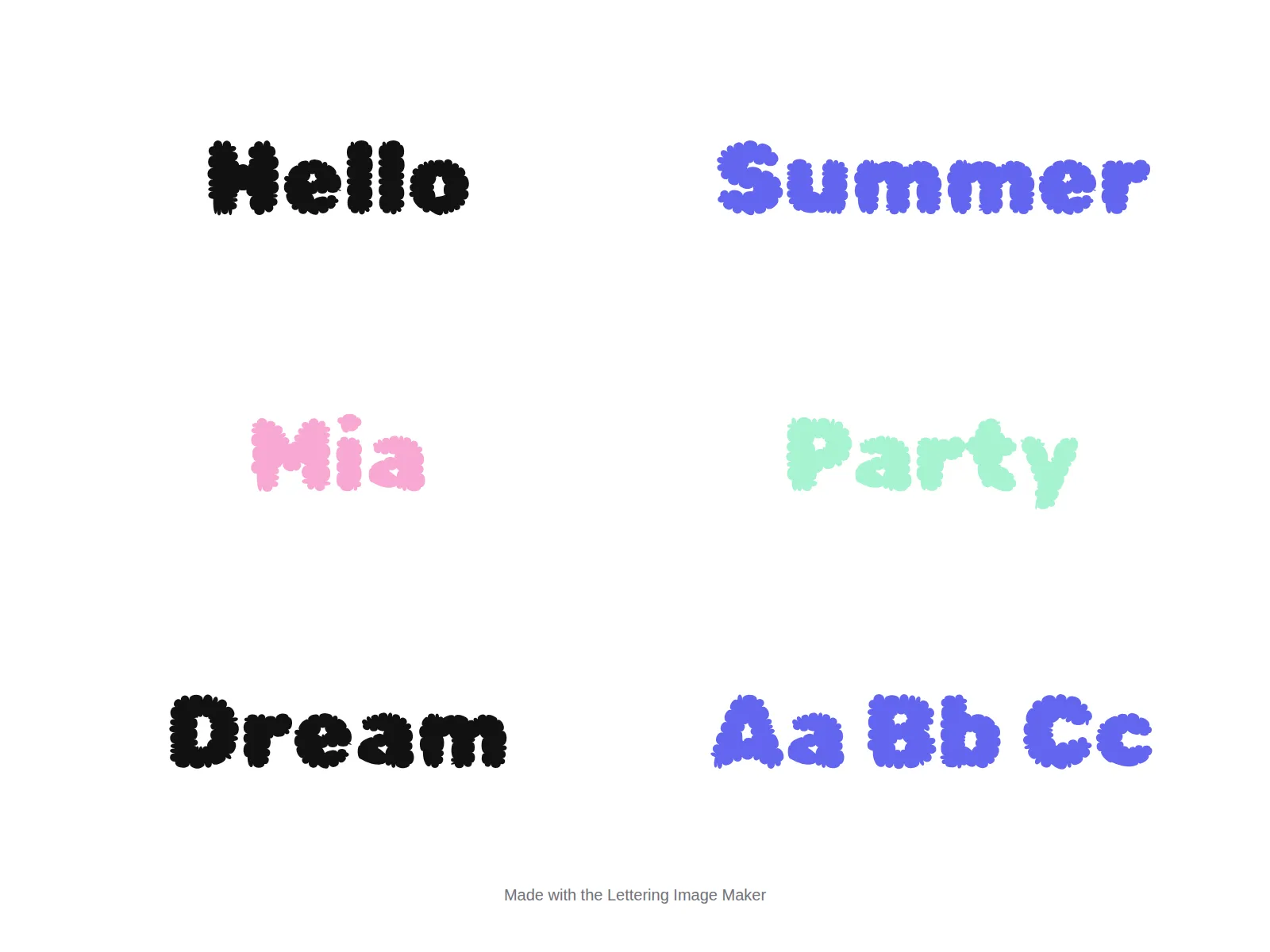
The lettering styles
Each style is a carefully chosen open-source typeface that represents a lettering tradition people actually search for.
| Style | Typeface | Feels like | Works well for |
|---|---|---|---|
| Bubble | Rubik Bubbles | Puffy, inflated letters | Kids’ posters, birthday signs, stickers |
| Chunky | Bagel Fat One | Heavy rounded display | Thumbnails, bold titles |
| Graffiti | Sedgwick Ave Display | Spray-paint tag | Street-style designs, album art |
| Marker | Permanent Marker | Hand-drawn felt tip | Notes, casual signs, memes |
| Old English | UnifrakturMaguntia | German blackletter | Certificates, tattoo previews, band logos |
| Calligraphy | Great Vibes | Formal pointed-pen script | Wedding signs, invitations |
| Retro script | Pacifico | 1950s surf brush script | Shop signs, logos, merch |
| Bold script | Lobster | Heavy connected script | Headlines with personality |
| Handwriting | Dancing Script | Casual joined handwriting | Personal notes, cards |
| School cursive | Playwrite US Trad | Traditional US school cursive | Worksheets, teaching cursive |
| Block | Bungee | Vertical signage capitals | Labels, game titles |
| 3D shade | Bungee Shade | Letters with a built-in 3D shadow | Retro posters, titles |
| Neon lines | Monoton | Multi-line neon tubes | Night-club, 80s, arcade looks |
| Pixel | Press Start 2P | 8-bit video game | Gaming channels, retro art |
| Glitch | Rubik Glitch | Sliced, distorted letters | Tech, horror, music |
| Horror | Creepster | Dripping horror title | Halloween, spooky invitations |
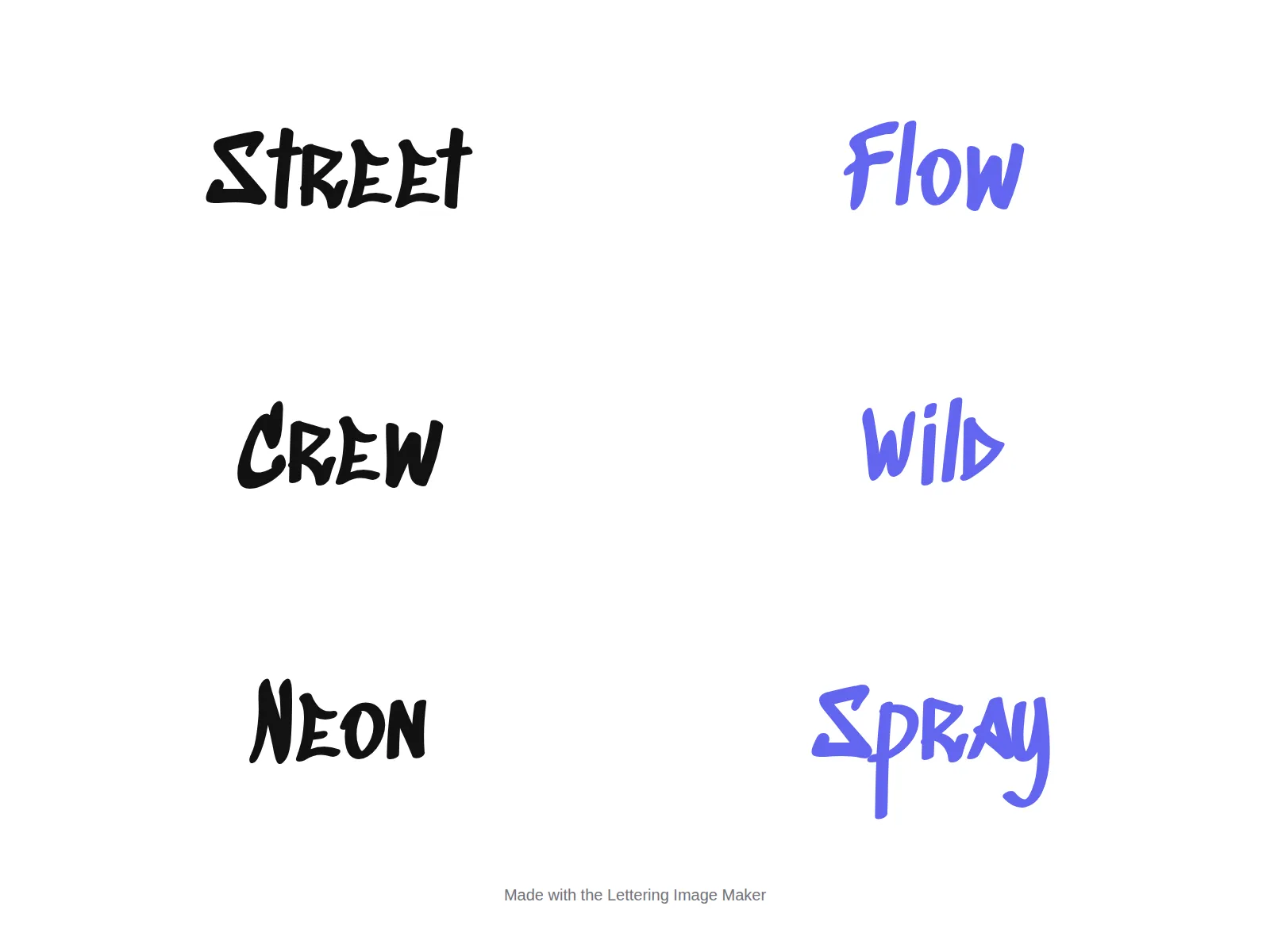
Getting a professional-looking result
Contrast first. A coloured letter with a dark outline reads on almost any background. If you turn the outline off, pick a letter colour that contrasts strongly with the background you’ll place it on.
Outline thickness scales with size. The outline is set automatically as a proportion of the letter size, so it stays balanced when you resize. For a thin, elegant script like Calligraphy, turning the outline off usually looks better.
Shadows add depth, not clarity. The offset shadow gives a classic sign-painter look on bold styles (Bubble, Chunky, Block). On delicate scripts it can muddy the letters.
Keep it short. Display lettering is designed for a few words. Long sentences become wide images that shrink to unreadable sizes on phones. Press Enter in the text box to break lines.
Transparent for layering. If you’re placing the lettering onto a photo or into another app, export with a transparent background so there’s no box around it.
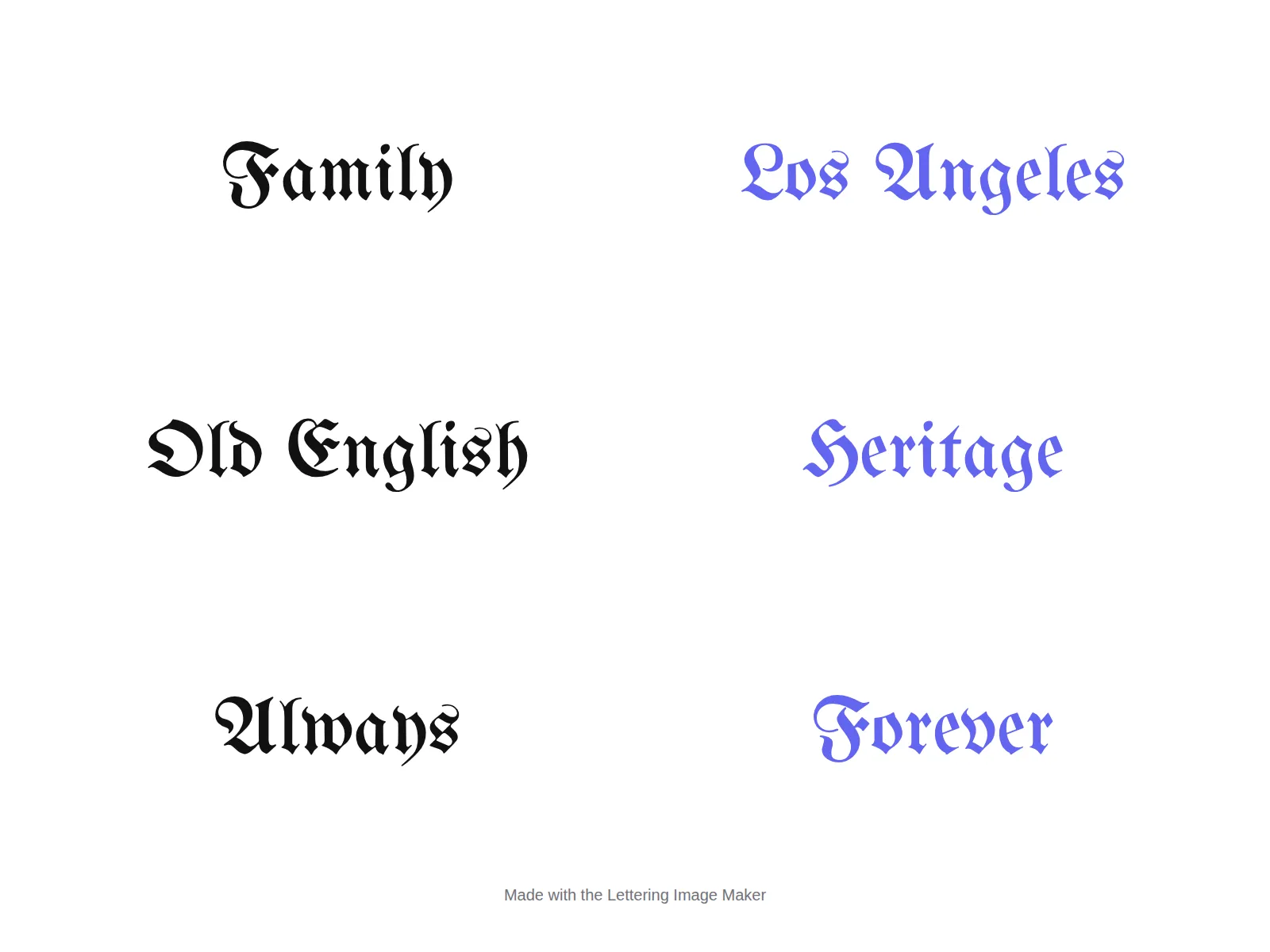
Privacy
The preview and the PNG are both drawn in your browser using the Canvas API. Your words are never sent to a server, and we don’t keep copies of what you make.
Drawing bubble and graffiti letters by hand
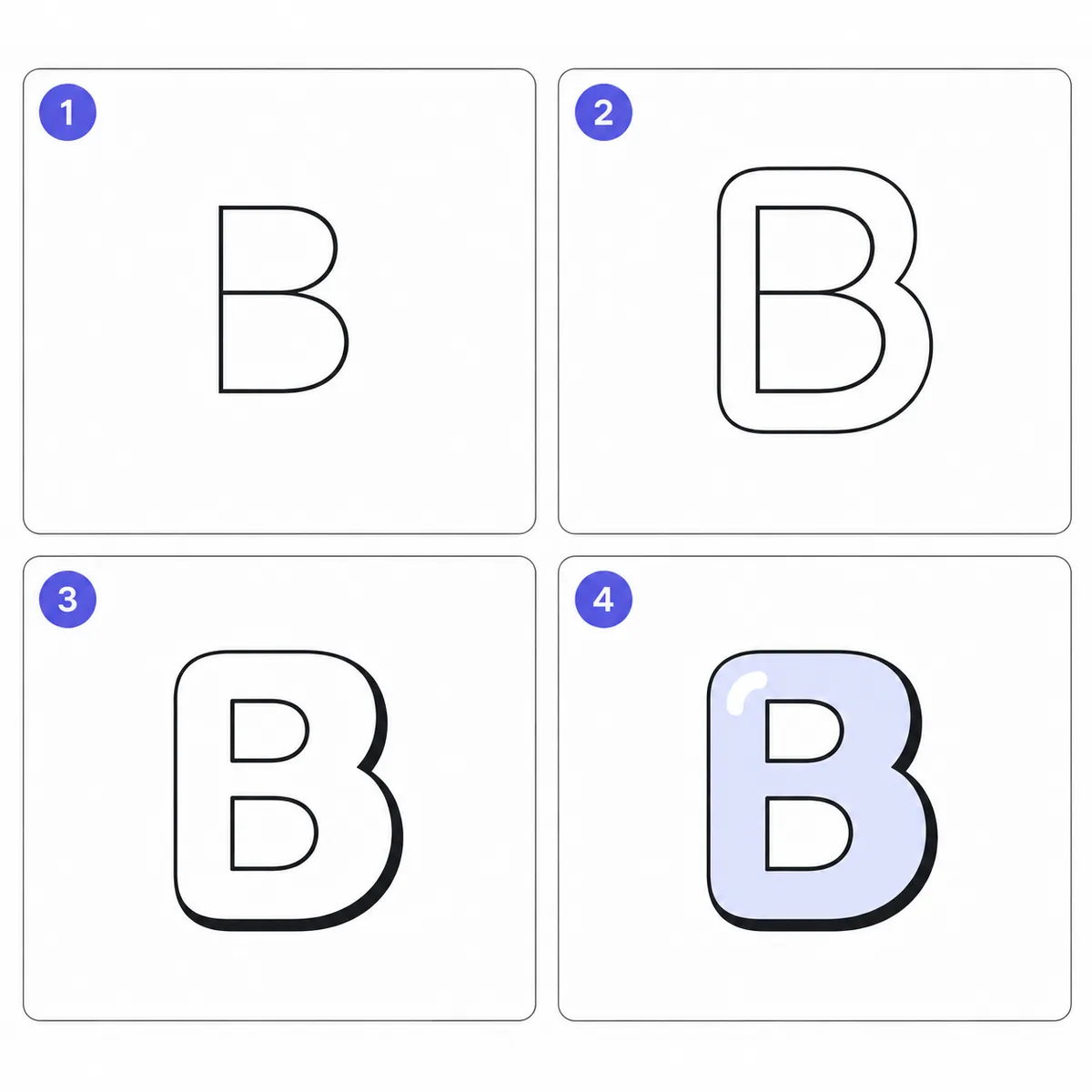
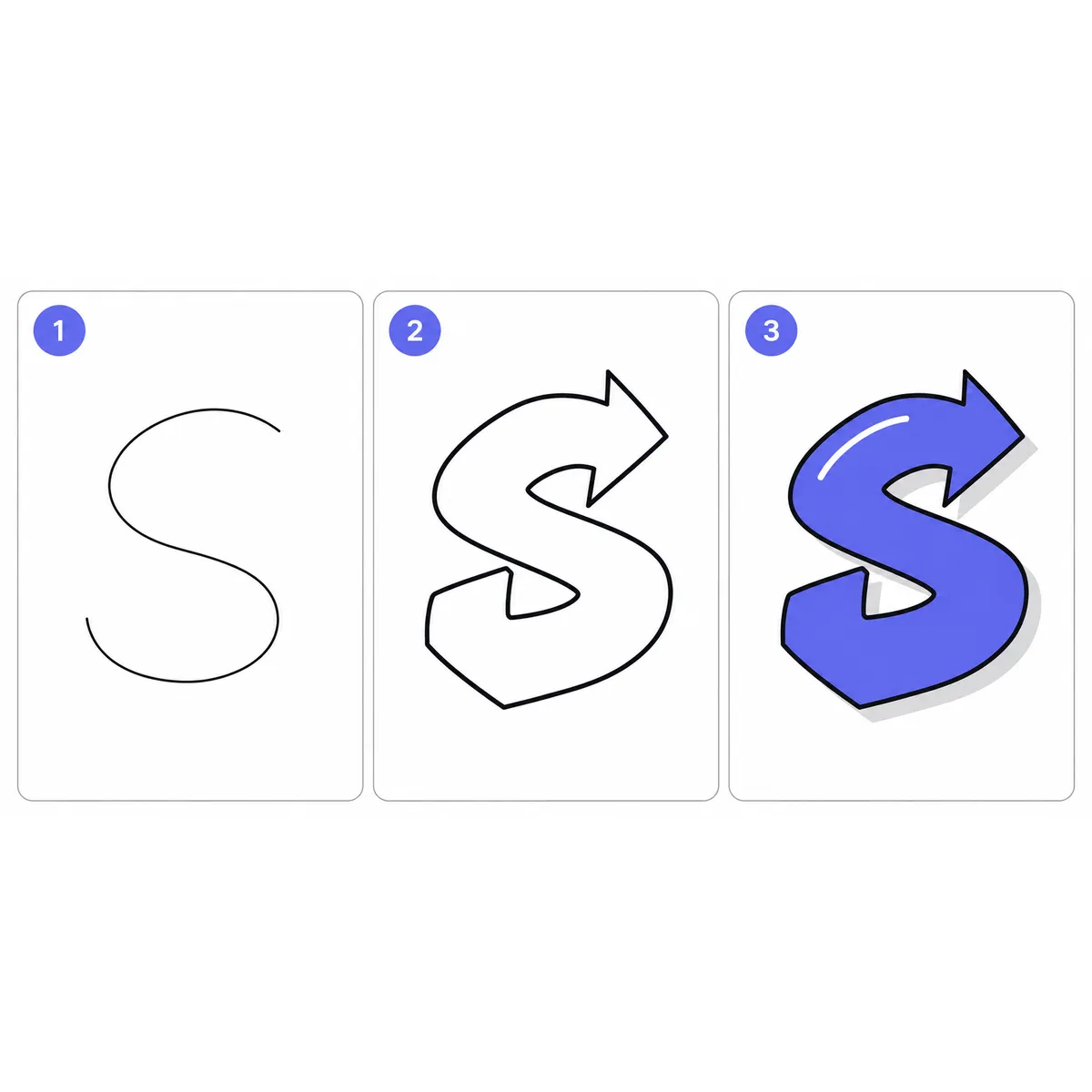
The image maker is also a handy reference when you want to draw lettering yourself. Type a word, set it large in the Bubble or Graffiti style, and copy it onto paper:
- Lightly sketch the plain letters with space between them.
- Draw a rounded outline around each letter, about the same distance all the way round. That’s the “bubble”.
- Erase the inner skeleton, then thicken the outline on one side (bottom and right is traditional) to suggest a shadow.
- Add a highlight: a small white curve near the top-left of each letter makes it look glossy.
For handwriting rather than display lettering, the cursive letter guides break every letter into numbered strokes with a printable practice sheet.
For the picture version of fancy lettering, this lettering generator is the one to open; for text you can paste, go back to the main generator.
Frequently asked questions
Basics
How do I make a lettering image?
Which lettering styles can I choose?
Can I make colouring-page letters here?
Where it works
Is the lettering image maker free to use commercially?
How do I get a transparent background?
Can I use this with Cricut or Silhouette?
Why can't I paste these letters into Instagram like the other tools?
How it works
What resolution are the downloads?
What do the outline and drop shadow switches do?
How does the lettering image maker draw the text?
Tips & limits
Can I download the lettering as an SVG or vector file?
Do I need to credit the fonts or this site?
Is the text I type saved or uploaded?
Related generators & guides
- Bubble Text GeneratorThis bubble text generator swaps your letters for circled Ⓑⓤⓑⓑⓛⓔ Unicode characters. Type, tap a style to copy it, then paste it into a name, bio, caption or chat.
- Old English Text GeneratorThis Old English text generator converts your words into 𝕭𝖑𝖆𝖈𝖐𝖑𝖊𝖙𝖙𝖊𝖗 Gothic letters. Type, tap a style to copy it, then paste it into a name, bio, caption or message.
- Cursive Text GeneratorThis cursive text generator turns your words into script-style Unicode letters for names, bios and captions. Type your text, tap Copy and paste it into Instagram, TikTok, Discord or a message.
- What Is Lettering? How It Differs From Calligraphy and TypographyWhat is lettering? It is drawing letters for one specific piece, unlike calligraphy, which writes letters in strokes, and typography, which arranges ready-made type. Here is what each term means, the tools, the history, and how to start drawing letters.
- Text DecoratorThis text decorator wraps your name in 28 frames such as ꧁ ꧂ and ★彡 彡★, in the letter style you choose. Type a name, filter frames by mood, then tap a row to copy.
- Convert Fancy Text Back to Plain TextConvert fancy text to normal here: paste bold, cursive, gothic, bubble or small caps text and the plain letters appear instantly, ready to edit, search for or read aloud.