By Maya Chen, lettering designer and type educator · Checked by Jordan Hale · · How we review content
Key facts
- A Discord display name is 1–32 characters and can be almost anything, including emoji and non-Latin scripts; it can be changed at any time (Discord support).
- A Discord username is 2–32 characters of lowercase a–z, 0–9, underscore and period, with no two periods in a row, so styled letters are not allowed there.
- Discord About Me holds up to 190 characters, counting emoji, markdown and links (Discord support).
- Discord markdown (bold, spoilers, headers) only renders in message text, while Unicode styles also work in display names, About Me and server names.
- Server nicknames accept styled letters, but server rules or moderation bots may require a readable name.
- Screen readers may read Unicode letters one at a time as mathematical bold capital N, while Discord markdown bold is read as plain words.
Where fancy letters work on Discord
Each Discord profile field has its own rules. Open Compatibility & details on any style above to see whether your text fits.
- UsernameNo
Limit: 32 chars
2–32 characters: lowercase a–z, 0–9, underscore and period only, with no two periods in a row (Discord support).
- Display nameYes
Limit: 32 chars
Discord says it "can be almost anything": special characters, spaces, emoji and non-Latin scripts, 1–32 characters, changeable at any time.
- Server nicknameYes
Styled letters work, according to third-party guides. Server rules or moderation bots may still ask for a readable name.
- About Me, server and channel namesYes
About Me holds up to 190 characters, counting emoji, markdown and links (Discord support). Unicode styles display in About Me and in server and channel names (third-party reports). Markdown is not the tool for names; it only renders in message text.
- MessagesYes
Both Unicode styles and Discord markdown work. Markdown is usually better for chat; see the cheat sheet below.
Sources: Discord support (usernames and display names), Discord support (custom profiles, About Me), Discord support (Markdown Text 101), Markdown Guide (Discord), Yofont (Discord fonts)
These Discord fonts give you two ways to style text: pasted Unicode letters, such as 𝐍𝐨𝐯𝐚, for your display name, nickname and About Me, and Discord’s own markdown for messages. The page includes a markdown cheat sheet and the rules for usernames and display names.
Quick answer: in a message, type **bold**, *italic*, ~~strikethrough~~, -# small text or ||spoiler||. Display names can’t use markdown, so paste Unicode letters from the tool above instead.
How to use Discord fonts
- Type or paste your text in the box at the top. Every style updates as you type.
- Pick a style. Bold serif and gothic read well in a member list; small caps is the quietest.
- Tap Copy on the row you like, then in Discord open User Settings, edit your Display Name or About Me, and paste.
Worked example: a display name
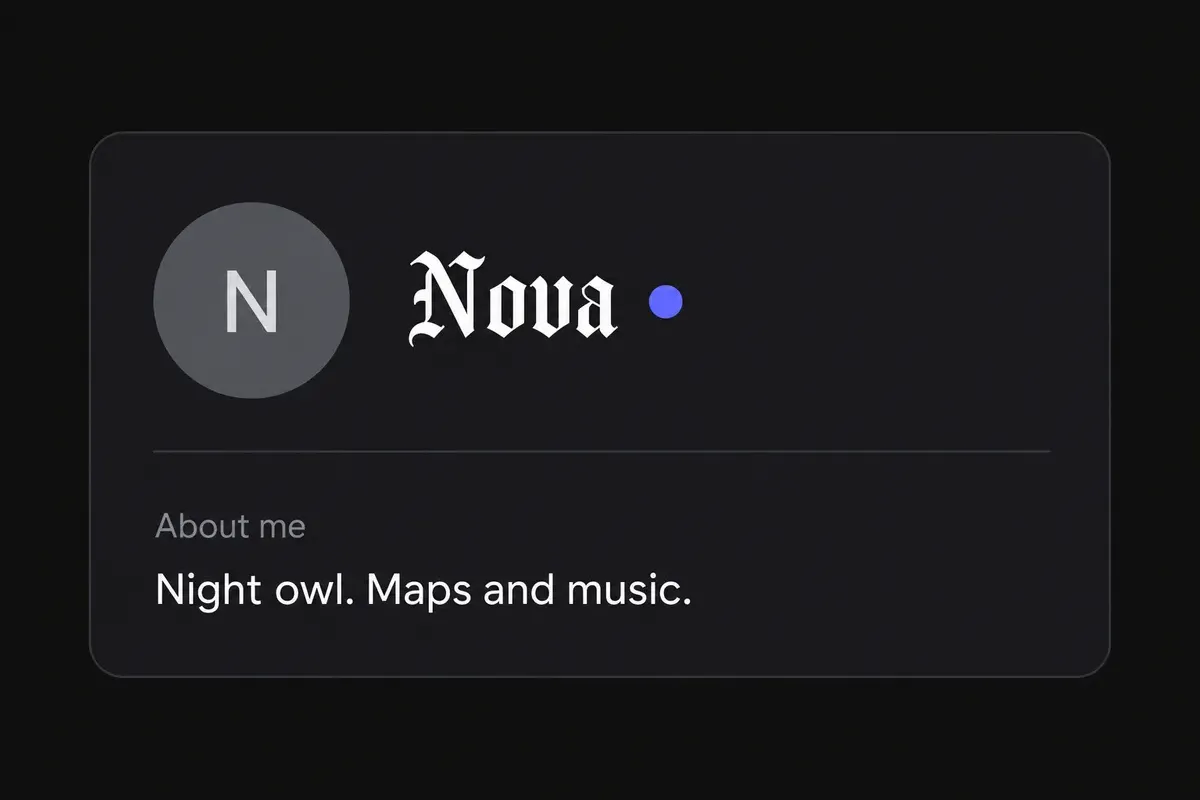
Typing Nova gives 𝐍𝐨𝐯𝐚 in bold serif. Paste it into Display Name, which accepts almost any character up to 32. Your username stays lowercase letters, numbers, underscores and periods, and a server’s moderation bot may still ask for a readable nickname.
Two ways to style text on Discord
Discord gives you a built-in formatting language (markdown) and accepts pasted Unicode styles. They solve different problems:
- Markdown changes how ordinary text is displayed. You type
**hello**, Discord shows hello. It only works in message text, and the underlying text stays plain, so search, screen readers and copy-paste all treat it as normal words. - Unicode styles change the characters themselves. 𝐡𝐞𝐥𝐥𝐨 is five different characters from “hello”. They work anywhere Discord accepts text, including names, but search and screen readers treat them as unusual symbols.
The short rule: markdown for messages, Unicode for names.
Discord markdown cheat sheet
The formatting options in Discord’s Markdown Text 101 guide, with the matching Unicode alternative where one exists.
| Effect | Type this | Notes | Unicode alternative |
|---|---|---|---|
| Bold | **text** |
Works anywhere in a message | 𝐭𝐞𝐱𝐭 bold serif, 𝘁𝗲𝘅𝘁 bold sans |
| Italic | *text* or _text_ |
𝑡𝑒𝑥𝑡 italic | |
| Bold italic | ***text*** |
𝙩𝙚𝙭𝙩 bold italic sans | |
| Underline | __text__ |
Combines with others: __**text**__ |
t̲e̲x̲t̲ |
| Strikethrough | ~~text~~ |
t̶e̶x̶t̶ | |
| Spoiler | ||text|| |
Hidden until clicked | None |
| Large header | # text |
Start of a line, space required | None |
| Medium header | ## text |
Start of a line, space required | None |
| Small header | ### text |
Start of a line, space required | None |
| Subtext | -# text |
Small grey line, start of a line | ᵗᵉˣᵗ superscript, ᴛᴇxᴛ small caps |
| Quote | > text |
One line | None |
| Multi-line quote | >>> text |
Everything after it in the message | None |
| Inline code | `text` |
Monospace, no other formatting inside | 𝚝𝚎𝚡𝚝 typewriter |
| Code block | ```text``` |
Add a language after the first three backticks for syntax colours | None |
| Bulleted list | - item or * item |
Start of a line | None |
| Numbered list | 1. item |
Start of a line | None |
| Masked link | [label](https://…) |
Shows the label as a link | None |
Discord does not support tables, images or HTML in markdown. To show a symbol such as * without triggering formatting, put a backslash before it: \*not italic\*.
Which one to use in chat
- Use markdown for anything people need to read: announcements, rules, instructions, long messages. Headers and bold structure a message without making it harder to read, and it stays accessible.
- Use Unicode when markdown can’t reach: a styled word inside inline code, a bold word in a channel topic, or text you’ll copy to another app. Markdown symbols don’t survive a trip to Instagram; 𝐛𝐨𝐥𝐝 letters do.
- Don’t stack them.
**𝓽𝓮𝔁𝓽**rarely helps: the script letters are already a fixed weight, so Discord’s bold usually has little or no visible effect on them.
Names: username, display name and nickname
Since Discord moved to unique usernames, every account has two names, and servers can add a third:
- Username – the unique handle used to add friends. Lowercase a–z, numbers,
_and.only, 2–32 characters. No styling. - Display name – what most people see next to your messages. Discord’s own help says it can be “almost anything”, up to 32 characters, and you can change it any time.
- Server nickname – overrides your display name in one server. Right-click (or long-press) yourself in the member list and choose Edit Server Profile. Styled text works here too, but many servers have readability rules, and moderators can reset a nickname they can’t type or mention.
A good habit is a styled display name with a plain fallback inside it, so people can still @mention you: 𝕹𝖎𝖌𝖍𝖙 𝕺𝖜𝖑 | nightowl. The plain part gives people something they can actually type.
Styles that read well in the member list
The member list and message headers use small type, so heavy styles turn into smudges. In order of legibility:
| Style | Example | Verdict |
|---|---|---|
| Bold gothic | 𝕹𝖎𝖌𝖍𝖙 𝕺𝖜𝖑 | The classic gaming look. Distinctive, still readable |
| Small caps | ɴɪɢʜᴛ ᴏᴡʟ | Quiet and neat; good for nicknames in big servers |
| Bold sans | 𝗡𝗶𝗴𝗵𝘁 𝗢𝘄𝗹 | Looks like a heavier version of Discord’s own font |
| Typewriter | 𝙽𝚒𝚐𝚑𝚝 𝙾𝚠𝚕 | Suits developer and bot-themed servers |
| Glitch (light) | N̷i̴g̵h̶t̷ O̵w̶l̷ | Fun, but heavy glitch overlaps nearby names and may be removed by moderators |
About Me and bio ideas
The About Me box accepts styled letters, emoji and frames, so you can build a small card. Keep the structure simple:
꧁ 𝕹𝖎𝖌𝖍𝖙 𝕺𝖜𝖑 ꧂
ᴛɪᴍᴇᴢᴏɴᴇ: UTC+1 · he/him
plays: Valorant, Minecraft
DMs open for commissions
The styled first line identifies you; the plain lines hold the details people may want to copy or search. Frames like ꧁ ꧂ are in the Frame menu of the generator, and more are in the text decorator.
Discord display name ideas
Ten names built with the generator. Characters counts one per Unicode character against the 32-character display name limit in Discord’s help article; all ten fit with room to spare. Rows with a plain part after a bar stay easy to mention.
| Display name | Characters | Note |
|---|---|---|
| ꧁𝕹𝖎𝖌𝖍𝖙 𝕺𝖜𝖑꧂ | 11 | Gothic with the royal frame |
| ʟᴏꜰɪ ᴄᴏᴅᴇʀ | 10 | Small caps, no frame |
| ♛ 𝐍𝐨𝐯𝐚 ♛ | 8 | Bold serif with a crown pair |
| 𝕹𝖎𝖌𝖍𝖙 𝕺𝖜𝖑 | nightowl | 20 |
| ⋆。°✩ ᴍᴏᴏɴ ᴘɪxᴇʟ ✩°。⋆ | 20 | Twinkle frame with small caps |
| 【 𝗥𝗮𝗻𝗸𝗲𝗱 𝗚𝗿𝗶𝗻𝗱𝗲𝗿 】 | 18 | Brackets with bold sans |
| 亗 𝗦𝗵𝗮𝗱𝗼𝘄 亗 | 10 | Kanji mark with bold sans |
| 𝚍𝚎𝚟_𝚊𝚊𝚛𝚊𝚟 | 9 | Typewriter style, quiet and techy |
| 『 ǫᴜɪᴇᴛ ᴍᴏᴅ 』 | 13 | Corner brackets; q is borrowed from a look-alike |
| 𝓟𝓻𝓲𝔂𝓪 | priya | 13 |
For more bio wording, see Discord bio ideas, and for handle-style names see aesthetic usernames. A frame from the text decorator goes around any of these.
Ready-to-copy About Me and status lines
Short lines you can paste as they are, or rebuild with your own words in the generator. Each one keeps the important part readable. Counts on the first three are against the 190-character About Me limit.
- ꧁ 𝕹𝖎𝖌𝖍𝖙 𝕺𝖜𝖑 ꧂ · always in voice after 10pm (42 characters)
- ᴀʀᴛɪꜱᴛ ✦ commissions open, DM me (32 characters)
- ★彡 𝗠𝗢𝗗 彡★ · ping me for server help (35 characters)
- ⋆。°✩ ʟᴏꜰɪ ᴀɴᴅ ᴄᴏᴅᴇ ✩°。⋆
- 𝘤𝘶𝘳𝘳𝘦𝘯𝘵𝘭𝘺: ranked grind, send memes
- 『 ɴᴏ ᴅᴍꜱ ᴡɪᴛʜᴏᴜᴛ ᴀ ʜᴇʟʟᴏ 』
Custom statuses are short and appear next to your name in member lists, so one styled word plus an emoji usually reads better than a fully styled sentence. Server owners can use the same styles for category headers in the channel list; a ✦ or ┃ divider in plain text keeps it tidy without relying on rarer characters.
What can go wrong
- Boxes on some phones. Third-party reports and a request on Discord’s community forum describe styled letters showing as empty boxes on older Android clients. Gothic, bold and small caps are the safest. The guide to boxes in fancy text explains the cause.
- Mentions and search. Discord search looks for the characters you type. A message written in 𝐛𝐨𝐥𝐝 Unicode is unlikely to come up when someone searches “bold”. Markdown bold keeps the plain letters, so it does.
- Screen readers. Unicode letters may be read aloud as “mathematical bold capital N” one letter at a time. Markdown bold is read as plain words. That’s another reason to keep Unicode for short names only.
- Moderation bots. Some servers run bots that “dehoist” or normalise nicknames that start with symbols or use unusual characters. That’s a server choice, not a Discord rule.
For game-style names with symbols and frames that you can reuse across Discord and your games, try the stylish name generator. The full gothic font set and the glitch text generator have more variants of the two styles Discord users pick most.
For chat messages, markdown usually beats Unicode, and Discord fonts are best saved for names and About Me.
Frequently asked questions
Basics
Can I change the font on Discord?
Do Discord fonts need Nitro?
Are Discord fonts the same as Discord markdown?
What is the difference between a Discord username and a display name?
Where it works
How do I get a fancy display name on Discord?
Can I use fancy fonts in my Discord server nickname?
How long can my Discord About Me be, and can it use fancy fonts?
How it works
How do you make text bold on Discord?
How do I make small text on Discord?
Why do fancy fonts show as boxes on Discord?
How do I make spoilers, headers or quotes on Discord?
Can I combine Discord bold with a fancy font?
Tips & limits
Can screen readers read Discord fancy fonts?
Will Discord search find text written in fancy fonts?
How do I keep a fancy Discord name mentionable?
Related generators & guides
- Invisible Character Copy and PastePick an invisible character from the list, copy it and paste it where you need empty-looking text. Each blank is explained below, with the apps where it tends to work.
- Text DecoratorThis text decorator wraps your name in 28 frames such as ꧁ ꧂ and ★彡 彡★, in the letter style you choose. Type a name, filter frames by mood, then tap a row to copy.
- Discord Bio IdeasCopy a bio or About Me template and swap in your own details. Each fits the 190-character About Me limit, which counts emoji, markdown and links.
- Aesthetic UsernamesPlain-letter handles you can actually register, with styled display-name versions for the places that allow them.
- Old English Text GeneratorThis Old English text generator converts your words into 𝕭𝖑𝖆𝖈𝖐𝖑𝖊𝖙𝖙𝖊𝖗 Gothic letters. Type, tap a style to copy it, then paste it into a name, bio, caption or message.
- Small Text GeneratorThis small text generator turns your words into tiny Unicode letters: small caps, superscript or subscript. Type your text, tap Copy on the style you like and paste it into a bio, name or caption.